
Synthetic Vocals
I have been producing musical arrangements since the 1990's, using synthesizers to play different instruments in digital multitrack recordings. The arrangements are for small bands like the ones I used to play in and feature the sounds of Hammond organ, Rhodes and Wurlitzer electric pianos, bass guitar, drums, electric and acoustic guitars, and acoustic pianos. These can be simulated on synthesizers, like my Yamaha MX88. Singing was hard to simulate until recently, so all of my compositions have been instrumentals ... until now.
Voice synthesis has suddenly gotten much better. The ACE Studios software can convert notes played on a keyboard into a realistic human voice singing the lyrics that you supply. At last, I can add vocal parts to my songs. On this website are some of my recent original songs and arrangements, sung by non-union, royalty-free, ACE Studio synthesized vocalists.
The FL Studio Software
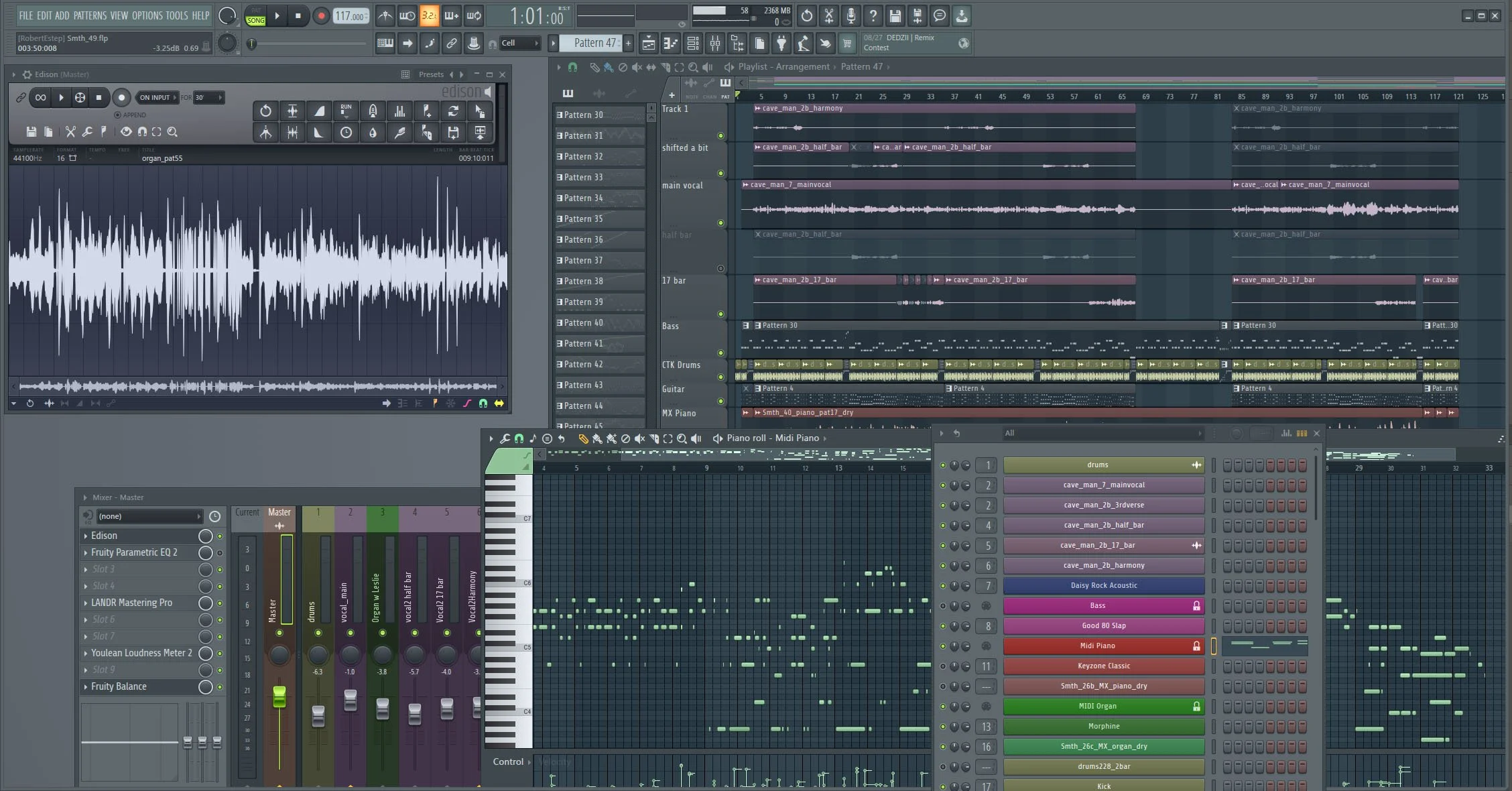
I am currently using the Pro Tools and FL Studio DAW (Digital Audio Workstation) PC software for making multitrack recordings. Both provide a selection of tools that mimics an old-fashioned analog recording studio. The screen shot below shows the main components in FL Studio. The channel rack (lower right) contains all the instruments and audio clips used in a project. The piano roll editor (behind the channel rack) is used for editing the MIDI performance for an instrument. The playlist (upper right) shows the recorded instrument tracks, where you can arrange the various MIDI, audio, and automation clips. Audio clips can be edited in Edison (upper left). The volume and effects on each track are controlled in the mixer panel (lower left).
Pro Tools and FL Studio have a selection of built-in virtual instruments, and there are thousands more available as third-party plug-ins. Premium plug-ins, such as the Native Instruments Session Guitarist series, can be amazingly realistic and include effects such as the squeak of a finger sliding to a new position on the string and the string buzz that comes from plucking too hard.
The ACE Studio Software
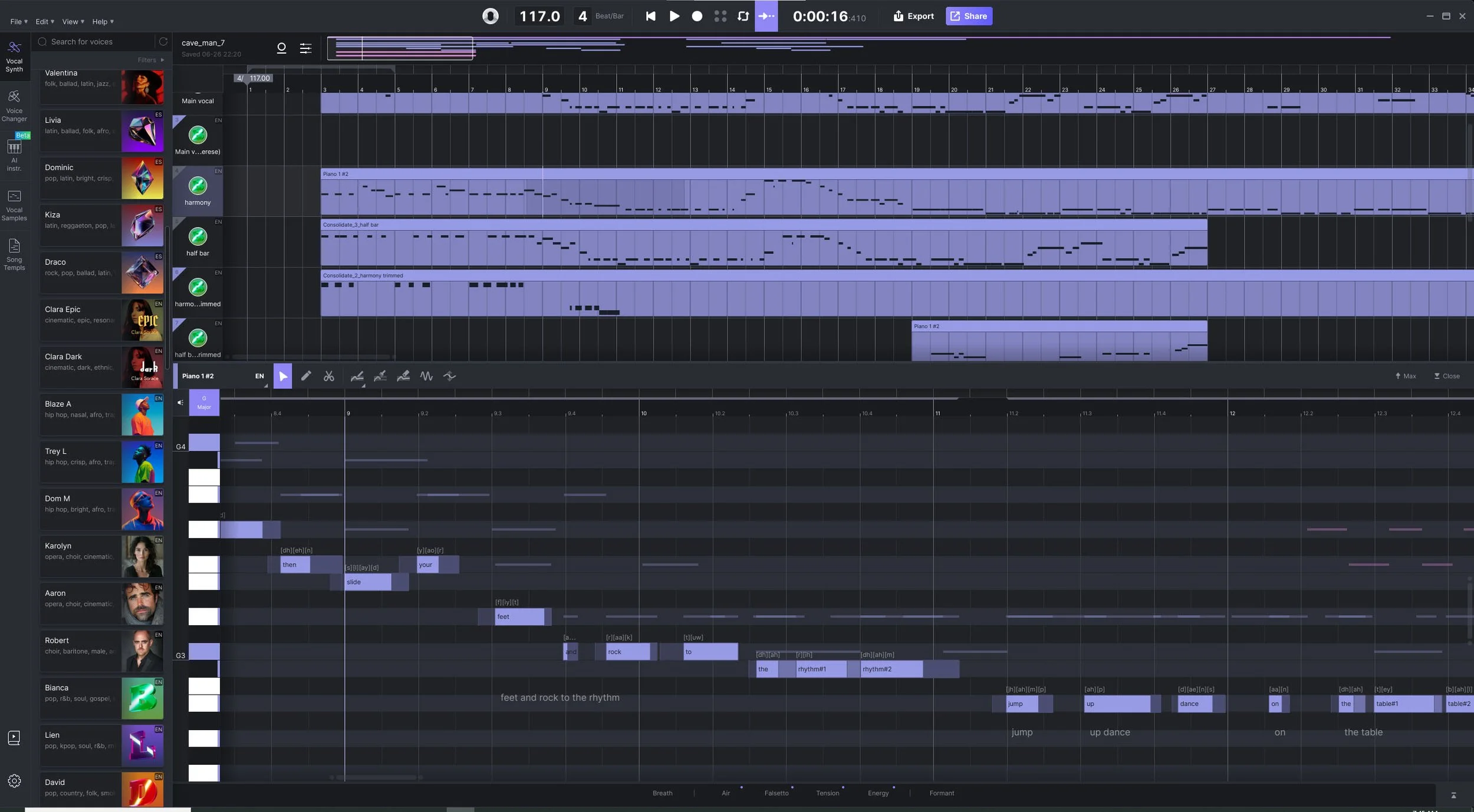
ACE Studio uses AI to add realistic nuances to their synthesized singing voices. To create a vocal part, you record the melody on the keyboard and create a MIDI file from that. Basically, the notes you play on a piano style keyboard will be “sung” by the singers. This is repeated for the harmony parts. Separately, in Pro Tools or FL Studio you produce a band track with just the instruments (no vocals) and mix that down to an audio file, which is imported into ACE Studio along with the MIDI vocal tracks. To make voices, you assign each melody (MIDI) track to one of the hundred or so ACE Studio singers. Initially, the singers sing the default lyrics “da da da da …” to the melody and harmonies in the MIDI files. You replace the default lyrics by typing the real lyrics directly on the notes in the piano roll editor (lower half in screen shot). The overall song is arranged by moving/cutting/pasting the clips around on the playlist.
Part of “Dance Like a Caveman” is shown in the screenshot from Ace Studio below. The bottom half shows the piano roll editor, with the notes of the melody shown as the thin dashes that line up with the piano notes on the left axis. The lyrics are in edit boxes just below the notes - you just type the words in. The top half shows the overall arrangement of the song. The strip on the left side shows some of the singers that can be selected.
Debunk 50 and The Boogie Notes
The musical artist Debunk 50 (aka Eric Heisig) and I formed a studio band called The Boogie Notes, named after our first release. The band has channels on Spotify, YouTube , and other streaming platforms. Eric plays multiple instruments in addition to being a seasoned producer, and contributed to some of the tracks here.
My Synthesizers
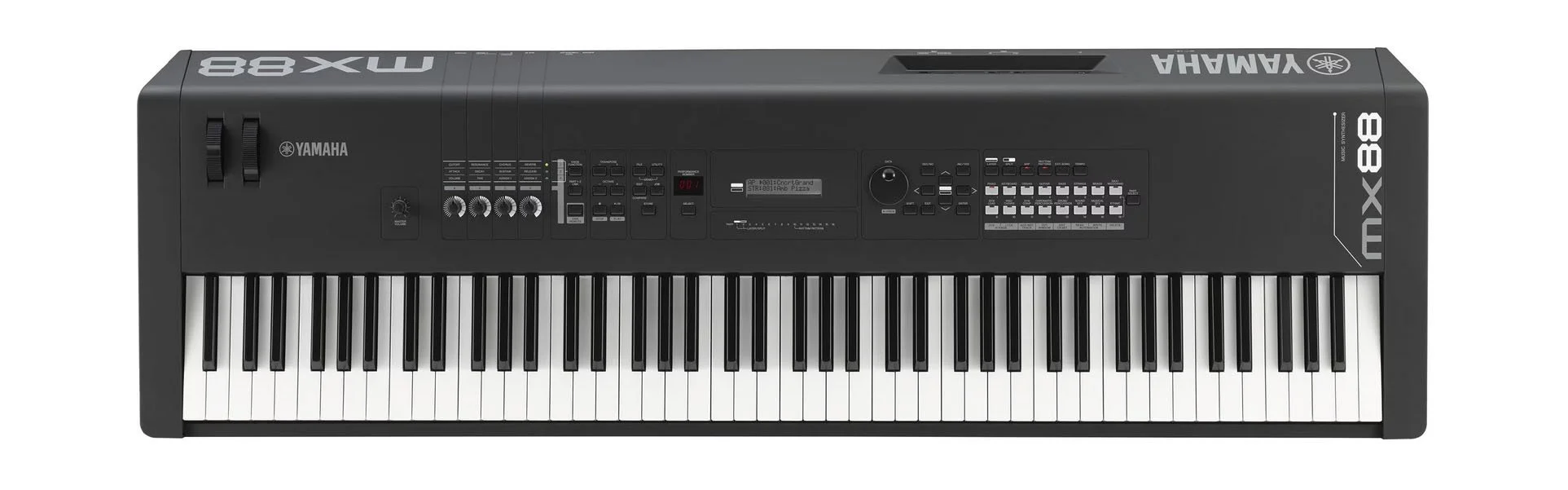
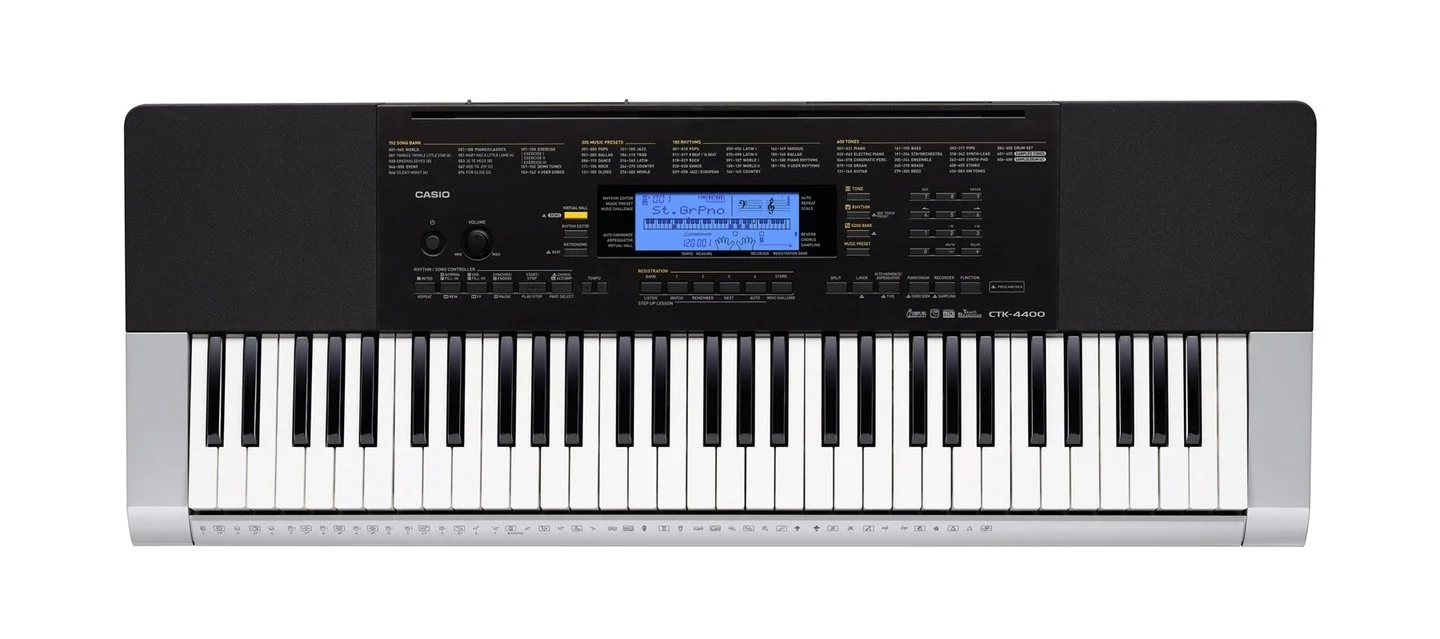
The Yamaha MX88 is my main controller (keyboard) for performing. It has a full 88 weighted (piano style) keys and some good built-in preset instruments. My second synth is a Casio CTK-4400. I like the drum patterns in the Casio, and also auto-strumming guitar feature (where you hold a chord down and it generates a strummed guitar sound).
Cover Art
Spotify and other streaming platforms require cover art for albums and singles. As a retired artist I have a lot of my own paintings to draw from without worrying about copyright issues, so I am just using those. You can see more of my paintings at RobertJEstep.com.